| .github | ||
| docs | ||
| packages | ||
| test/e2e | ||
| .editorconfig | ||
| .gitignore | ||
| .npmignore | ||
| eslint.config.js | ||
| LICENSE | ||
| package-lock.json | ||
| package.json | ||
| README.md | ||

Aikido Safe Chain
The Aikido Safe Chain prevents developers from installing malware on their workstations through npm, npx, yarn, pnpm and pnpx. It's free to use and does not require any token.
The Aikido Safe Chain wraps around the npm cli, npx, yarn, pnpm, and pnpx to provide extra checks before installing new packages. This tool will detect when a package contains malware and prompt you to exit, preventing npm, npx, yarn, pnpm or pnpx from downloading or running the malware.
Aikido Safe Chain works on Node.js version 18 and above and supports the following package managers:
- ✅ full coverage: npm >= 10.4.0:
- ⚠️ limited to scanning the install command arguments (broader scanning coming soon):
- npm < 10.4.0
- npx
- yarn
- pnpm
- pnpx
- 🚧 bun: coming soon
Note on the limited support for npm < 10.4.0, npx, yarn, pnpm and pnpx: adding full support for these package managers is a high priority. In the meantime, we offer limited support already, which means that the Aikido Safe Chain will scan the package names passed as arguments to the install commands. However, it will not scan the full dependency tree of these packages.
Usage
Installation
Installing the Aikido Safe Chain is easy. You just need 3 simple steps:
- Install the Aikido Safe Chain package globally using npm:
npm install -g @aikidosec/safe-chain - Setup the shell integration by running:
safe-chain setup - ❗Restart your terminal to start using the Aikido Safe Chain.
- This step is crucial as it ensures that the shell aliases for npm, npx, yarn, pnpm and pnpx are loaded correctly. If you do not restart your terminal, the aliases will not be available.
- Verify the installation by running:
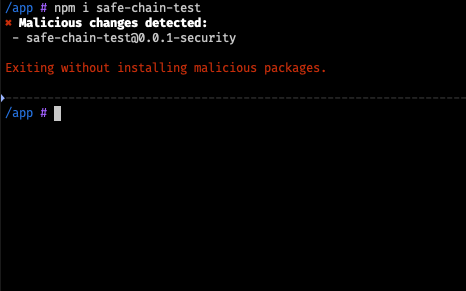
npm install safe-chain-test- The output should show that Aikido Safe Chain is blocking the installation of this package as it is flagged as malware.
When running npm, npx, yarn, pnpm or pnpx commands, the Aikido Safe Chain will automatically check for malware in the packages you are trying to install. If any malware is detected, it will prompt you to exit the command.
How it works
The Aikido Safe Chain works by intercepting the npm, npx, yarn, pnpm and pnpx commands and verifying the packages against Aikido Intel - Open Sources Threat Intelligence.
The Aikido Safe Chain integrates with your shell to provide a seamless experience when using npm, npx, yarn, pnpm and pnpx commands. It sets up aliases for these commands so that they are wrapped by the Aikido Safe Chain commands, which perform malware checks before executing the original commands. We currently support:
- ✅ Bash
- ✅ Zsh
- ✅ Fish
- ✅ PowerShell
- ✅ PowerShell Core
More information about the shell integration can be found in the shell integration documentation.
Usage in CI/CD
Learn more about Safe Chain CI/CD integration in the Aikido docs.
Usage in Docker
To use the Aikido Safe Chain in a Docker container, you can follow these steps:
-
Install the Aikido Safe Chain package in your Dockerfile:
RUN npm install -g @aikidosec/safe-chain -
Setup the shell integration by running:
RUN safe-chain setup-ci -
Add the shims directory to your PATH to ensure the aliases are available in your Docker container:
ENV PATH="~/.safe-chain/shims:${PATH}" -
Verify the installation by running:
RUN npm install safe-chain-test
Example Dockerfile:
FROM node:24
RUN npm install -g @aikidosec/safe-chain
RUN safe-chain setup-ci
ENV PATH="~/.safe-chain/shims:${PATH}"
WORKDIR /app

RUN npm init -y
RUN npm install safe-chain-test
Uninstallation
To uninstall the Aikido Safe Chain, you can run the following command:
- Remove all aliases from your shell by running:
safe-chain teardown - Uninstall the Aikido Safe Chain package using npm:
npm uninstall -g @aikidosec/safe-chain - ❗Restart your terminal to remove the aliases.
Configuration
Malware Action
You can control how Aikido Safe Chain responds when malware is detected using the --safe-chain-malware-action flag:
--safe-chain-malware-action=block(default) - Automatically blocks installation and exits with an error when malware is detected--safe-chain-malware-action=prompt- Prompts the user to decide whether to continue despite the malware detection
Example usage:
npm install suspicious-package --safe-chain-malware-action=prompt